Creators
Rojony Khatun Author
Rojony Khatun
CalculatorToolsProjectExpert
Reviewers
Małgorzata Koperska, MD Steven Wooding
Last updated: January 14, 2026

IR Remote Tester Circuit Using TSOP34838 Sensor IC

🇺🇸
English
Default
🇪🇸
Español
Spanish
🇫🇷
Français
French
🇩🇪
Deutsch
German
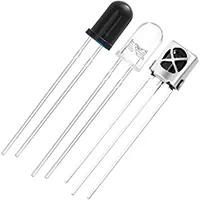
IR Receiver Sensor

IR Receiver Sensor

An infrared light-sensitive sensor used to detect signals from an IR remote or IR transmitter. Commonly used in TVs, remote-controlled devices, and automation systems.

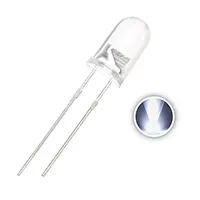
3V LED 5mm

3V LED 5mm

3V, 5mm round light-emitting diode

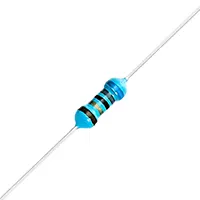
68 ohm Fixed Resistor 1/4W

68 ohm Fixed Resistor 1/4W

A 68-ohm resistor rated for 0.25 watts

*Please note: These are affiliate links. I may make a commission if you buy the components through these links. I would appreciate your support in this way!

IR Remote Tester

Test any IR remote using the TSOP34838 sensor. The LED indicator shows signals received, making it ideal for DIY electronics and hobby projects.
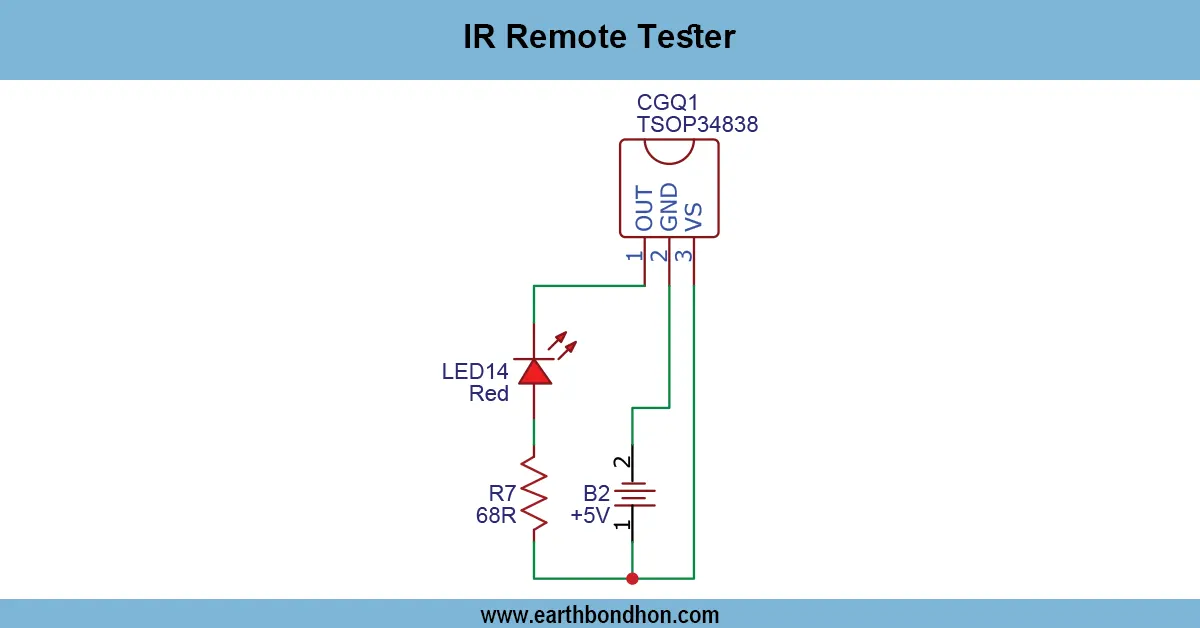
TSOP34838 IR tester circuit

An IR remote tester and TSOP34838 will sense the IR signal of a remote and turn on an LED or a buzzer so that one can quickly test the functionality of a remote used in a hobby or DIY electronics project.

Laptop camera gesture control

The old laptop cameras can also be used as unused components, but they can be repurposed as a new DIY electronics project. Through the reusing of old webcams, the hobbyists and the students can make motion detectors, mini security systems, smart home sensors, and even digital microscopes.

Laptop cameras have small CMOS or CCD cameras that are able to capture images and vid,eo and can be hooked up with microcontrollers or PCs to enable creative uses. This manual discusses some of the best inventions of old laptops that came, as it provides details of components, step-by-step instructions, a nd practical applications for electronics enthusiasts.

Reusing these cameras not only limits electronic waste, but it also enables makers to explore technology and make cheap, useful devices.

Top DIY Inventions Using Old Laptop Cameras

DIY Motion Detector

Use the laptop camera with OpenCV to detect movement and trigger alarms or lights for home security.

Mini Security Camera System

Convert an old webcam into a remote surveillance system using Raspberry Pi or Arduino with USB support.

Smart Home Automation Sensor

Detect gestures or motion to control home devices like lights, fans, or appliances using Python or Arduino.

DIY Microscope with Laptop Camera

Attach the camera to a magnifying lens to create a simple microscope for capturing close-up images.

Gesture-Controlled Electronics

Track hand movements with the camera sensor to control LEDs, motors, or robotic systems.

Required Components for Projects

  • Old laptop camera or webcam
  • USB adapter or interface module
  • Microcontroller (Arduino, Raspberry Pi, ESP32)
  • Jumper wires, breadboard, or PCB
  • LEDs, buzzers, or relays
  • Software libraries (OpenCV, Python, Arduino IDE)

Step-by-Step Guide to Repurposing a Laptop Camera

  1. Carefully remove the camera module from the old laptop.
  2. Identify USB or ribbon-type connector pins.
  3. Connect to a microcontroller or USB interface module.
  4. Install drivers and software such as Python, OpenCV, or Arduino IDE
  5. Test the camera by capturing video or images.
  6. Integrate the camera into a project like motion detection or security systems.
  7. Ensure connections are secure and insulated for safe operation.

Tips and Safety Precautions

  • Handle the camera module gently to avoid damage.
  • Protect the lens from dust, heat, or moisture.
  • Insulate all electrical connections properly.
  • Avoid exceeding voltage limits of the camera or microcontroller.
  • Use software responsibly to prevent system conflicts.

Applications of Reused Laptop Cameras

  • DIY home security systems
  • Smart home automation
  • Interactive learning tools
  • Science experiments and microscopes
  • Gesture-based robotics control

Troubleshooting Common Issues

Camera Not Detected by PC

  • Check USB cable connection and drivers.
  • Test different USB ports or modules.

Poor Image Quality

  • Clean the lens with a microfiber cloth.
  • Ensure proper lighting in the environment.

Connectivity Problems

  • Ensure USB power is adequate.
  • Use a powered USB hub for multiple devices.

Frequently Asked Questions - IR Remote Tester:

What is TSOP34838?

It is an IR receiver IC that detects 38kHz modulated IR signals.

Can it test TV remotes?

Yes, it works with most TV, AC, and IR remote controls.

Do I need a power supply?

Yes, typically 5V DC for the TSOP34838 IC.

Can it use LED for indication?

Yes, connect an LED with a current-limiting resistor to show detection.

Is it beginner-friendly?

Yes, simple circuit suitable for DIY electronics and hobbyists.

Can it detect multiple remotes?

Yes, it can test different remote controls one by one.

Does ambient light affect it?

Strong sunlight or IR sources may interfere slightly, keep sensor away.

Can I connect a buzzer instead of LED?

Yes, to get audible signal when IR is detected.

Is soldering required?

Optional; can assemble on breadboard for testing purposes.

Is it cost-effective?

Yes, uses minimal and inexpensive components.

Comments

Please login to comment.

Rojony Khatun

Rojony Khatun

Calculator Tools Project

Rojony Khatun is the creator of a free online tools website designed to simplify everyday and engineering-related calculations for students, professionals, and hobbyists. The platform offers a wide variety of basic and advanced calculators across key categories, including Electrical Calculators, Electronic Calculators, and Time & Date Calculators, helping users solve problems quickly and accurately.