
Creators
Rojony Khatun Author
Rojony Khatun
CalculatorToolsProjectExpert
Reviewers
Małgorzata Koperska, MD Steven Wooding
Last updated: January 14, 2026

Proximity Sensor Circuit Using BC547 Transistor for DIY Projects

🇺🇸
English
Default
🇪🇸
Español
Spanish
🇫🇷
Français
French
🇩🇪
Deutsch
German
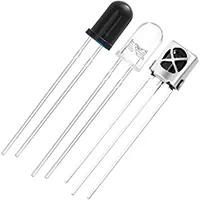
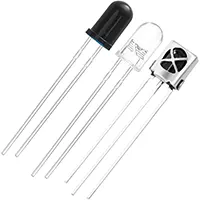
IR Receiver Sensor

IR Receiver Sensor

An infrared light-sensitive sensor used to detect signals from an IR remote or IR transmitter. Commonly used in TVs, remote-controlled devices, and automation systems.

Infrared Transmit Sensor

Infrared Transmit Sensor

An Infrared Light Emitting Diode (IR LED) that emits invisible infrared light. It is commonly used in remote controls, obstacle detection, wireless data transmission, and sensor circuits.

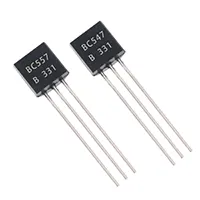
BC547 Transistor

BC547 Transistor

General-purpose NPN bipolar junction transistor (BJT)

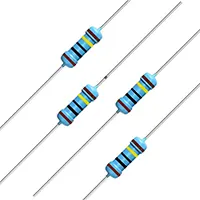
100R Fixed Resistor 1/4W

100R Fixed Resistor 1/4W

A 100-ohm resistor rated for 0.25 watts

1m Fixed Resistor 1/4W

1M Fixed Resistor 1/4W

A 1 megaohm fixed resistor rated at 0.25 watts (¼W), used to limit current, drop voltage, or set biasing levels in electronic circuits.

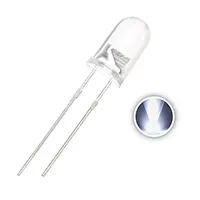
3V LED 5mm

3V LED 5mm

3V, 5mm round light-emitting diode

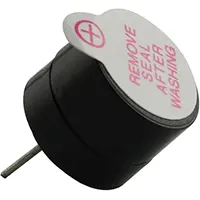
3V Buzzer Kit

3V Buzzer Kit

A low-voltage sound-producing module that operates on 3V DC supply. It is commonly used in DIY electronics, alarms, toys & indicators.

*Please note: These are affiliate links. I may make a commission if you buy the components through these links. I would appreciate your support in this way!

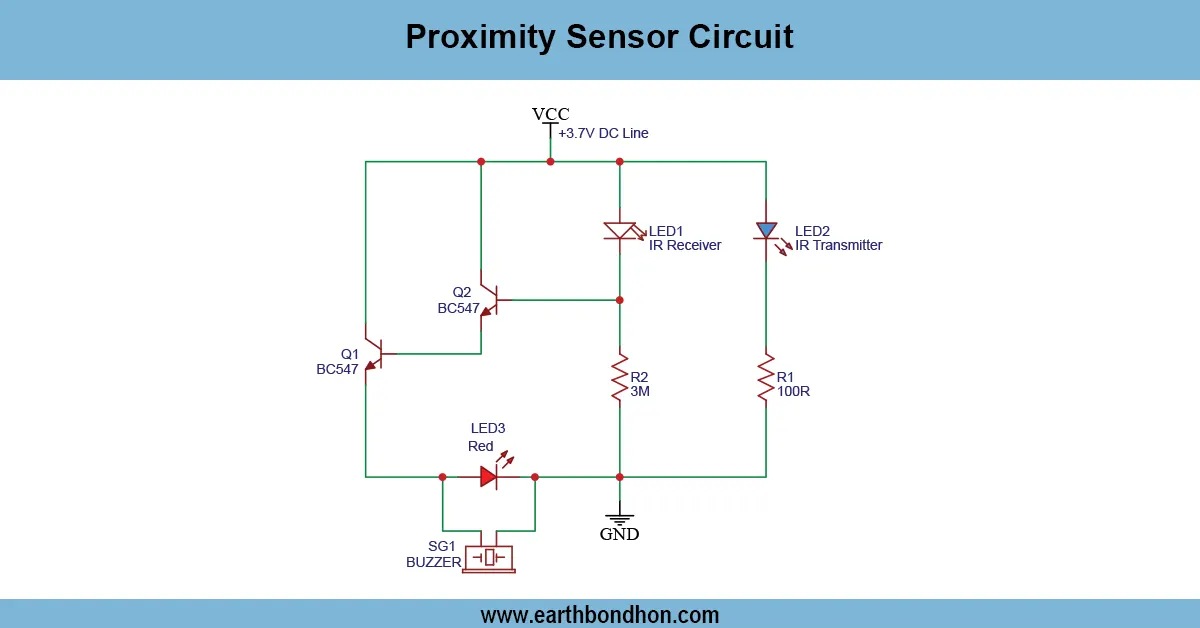
Proximity Sensor Circuit

Build a simple proximity sensor circuit using a BC547 transistor to detect nearby objects. Ideal for DIY electronics, hobby projects, and automation experiments...

low-voltage proximity detector

A contactless proximity sensor is based on BC547. The transistor can be used to control a load when reflected light or IR signals are used to detect the presence of an object, which is why it is beneficial in DIY detection systems.

Digital Audio Recorder Circuit

A digital audio recorder/player circuit using only one chip can record and play short sound clips with a small, easy-to-assemble circuit. This circuit is used when you want to DIY electronics, voice recordings, and there are also sound effects that can be used in toys or alert systems. The single IC has recording and playback capability, which makes the circuit simple and efficient. Components required, working principle, circuit diagram, assembly steps, and tips for troubleshooting are the different things that we will cover in this guide. You will come to know how to hook up a microphone, push-button controls, and speaker output to form a working digital audio recorder and player, and do it in a small and low-power form that beginners and amateur designers can build.

Features of the Single-Chip Audio Recorder/Player

Compact Design

  • Small form factor suitable for embedded projects.
  • Minimal components reduce assembly complexity.

Easy Recording and Playback

  • Push-button interface allows recording and instant playback.
  • No need for complex control circuitry.

Low Power Consumption

  • Operates on 3V to 5V DC supply.
  • Suitable for battery-operated projects.

Components Required

Single Integrated Audio IC

Common ICs: ISD1820, ISD1820S, or similar. Handles recording, storage, and playback.

Microphone or Input Source

Electret microphone for audio capture. Optionally use line input from other devices.

Speaker or Output Device

Small 8Ω to 32Ω speaker. An amplifier may be used for higher volume.

Capacitors and Resistors

For filtering, biasing, and timing.

Push Buttons for Record/Playback

Buttons for record, playback, and stop functions.

Power Supply

3V–5V DC, either from battery or regulated supply.

Working Principle

Audio Signal Capture

  • Microphone converts sound to analog voltage signals.
  • Signal fed to IC input for recording.

Digital Storage and Playback

  • IC converts an analog signal to a digital format and stores it internally.
  • Playback button triggers digital-to-analog conversion to speaker.

Timing and Control Mechanism

  • Internal timing circuitry manages record duration and playback.
  • An Optional potentiometer or capacitor may control recording time.

Circuit Diagram and Assembly Steps

Connecting Microphone and Input Stage

  • Connect the microphone to the input pins of the IC with a bias resistor and a coupling capacitor.

Wiring Output to Speaker

  • Connect speaker to output pin.
  • Add a series capacitor for DC blocking if needed.

Push Button Integration

  • Connect record, playback, and stop buttons to respective IC pins.

Powering the Circuit

  • Connect 3–5V DC to Vcc and GND pins.
  • Check polarity carefully.

Testing and Troubleshooting

  • Press the record button, speak into the microphone.
  • Release the button after recording duration.
  • Press the playback button to listen.
  • Check wiring if sound is distorted or absent.

Applications

  • Voice notes and reminders.
  • Toys and alarm systems.
  • Educational electronics projects.
  • Sound effect playback in gadgets.
  • Simple DIY audio recorders for experimentation.

Safety Precautions

  • Ensure correct polarity when connecting power.
  • Avoid short-circuits on IC pins.
  • Use proper resistors for microphone biasing.
  • Avoid exceeding IC voltage and current ratings.
  • Ensure speaker impedance matches IC output specification.

Troubleshooting and Maintenance

  • No sound: Check power supply and speaker connection.
  • Recording fails: Check the microphone connection and the record button.
  • Distorted playback: Check capacitor and resistor values.
  • Short recording duration: Adjust the capacitor to control the recording time.
  • IC overheating: Check power supply voltage and duty cycle.

Frequently Asked Questions - Proximity Sensor Circuit:

What is a proximity sensor?

A device that detects nearby objects without physical contact.

Which transistor is used?

BC547 NPN transistor as a switch.

What components are required?

BC547, IR LED or LDR, resistors, LED/buzzer/load, power supply.

What voltage is needed?

5–12V DC is ideal for safe operation.

Can it detect all objects?

It detects objects that reflect light or IR signals.

Is it beginner-friendly?

Yes, simple assembly on breadboard with low voltage.

Can I use a relay as output?

Yes, BC547 can drive a small relay to control higher loads.

Can sensitivity be adjusted?

Yes, by changing resistor values or sensor alignment.

Applications?

DIY alarms, automatic lights, hobby electronics, object detection.

Do I need special tools?

No, basic electronics tools like multimeter and soldering are sufficient.

Comments

Please login to comment.

Rojony Khatun

Rojony Khatun

Calculator Tools Project

Rojony Khatun is the creator of a free online tools website designed to simplify everyday and engineering-related calculations for students, professionals, and hobbyists. The platform offers a wide variety of basic and advanced calculators across key categories, including Electrical Calculators, Electronic Calculators, and Time & Date Calculators, helping users solve problems quickly and accurately.