
Creators
Earth Bondhon Author
Earth Bondhon
CalculatorToolsProjectExpert
Reviewers
Małgorzata Koperska, MD Steven Wooding
Last updated: January 14, 2026

12V Battery Charging Indicator Circuit Using LEDs

🇺🇸
English
Default
🇪🇸
Español
Spanish
🇫🇷
Français
French
🇩🇪
Deutsch
German

Components List

1K Fixed Resistor 1/4W

1K Fixed Resistor 1/4W

A 10,000-ohm resistor rated for 0.25 watts

3V LED 5mm

3V LED 5mm

3V, 5mm round light-emitting diode

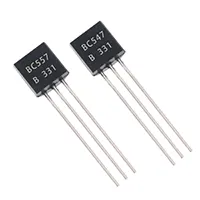
BC547 Transistor

BC547 Transistor

General-purpose NPN bipolar junction transistor (BJT)

470 ohm Fixed Resistor 1/4W

470 ohm Fixed Resistor 1/4W

A 470-ohm resistor rated for 0.25 watts

8.2V Zener Diode

8.2V Zener Diode

Voltage-regulating diode, 8.2V clamp

11V Zener Diode

11V Zener Diode

Voltage-regulating diode, 11V clamp

*Please note: These are affiliate links. I may make a commission if you buy the components through these links. I would appreciate your support in this way!

12V Charging Indicator circuit

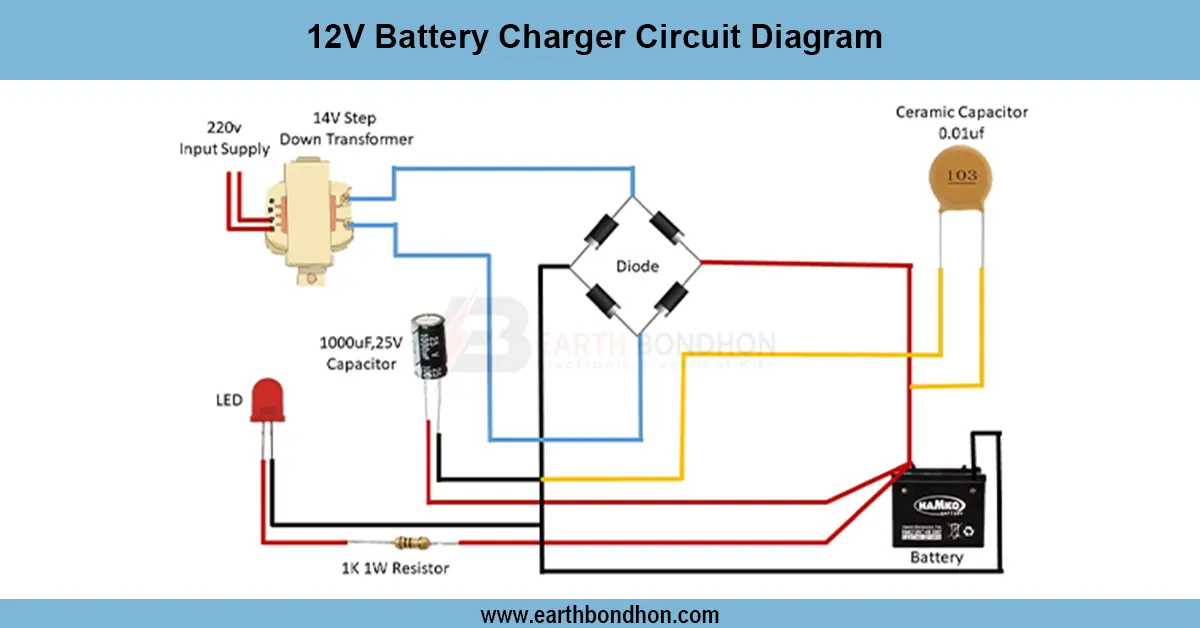
Design a simple 12V charging indicator circuit using LEDs and transistors to visually show battery charging and full status for automotive or solar battery systems.
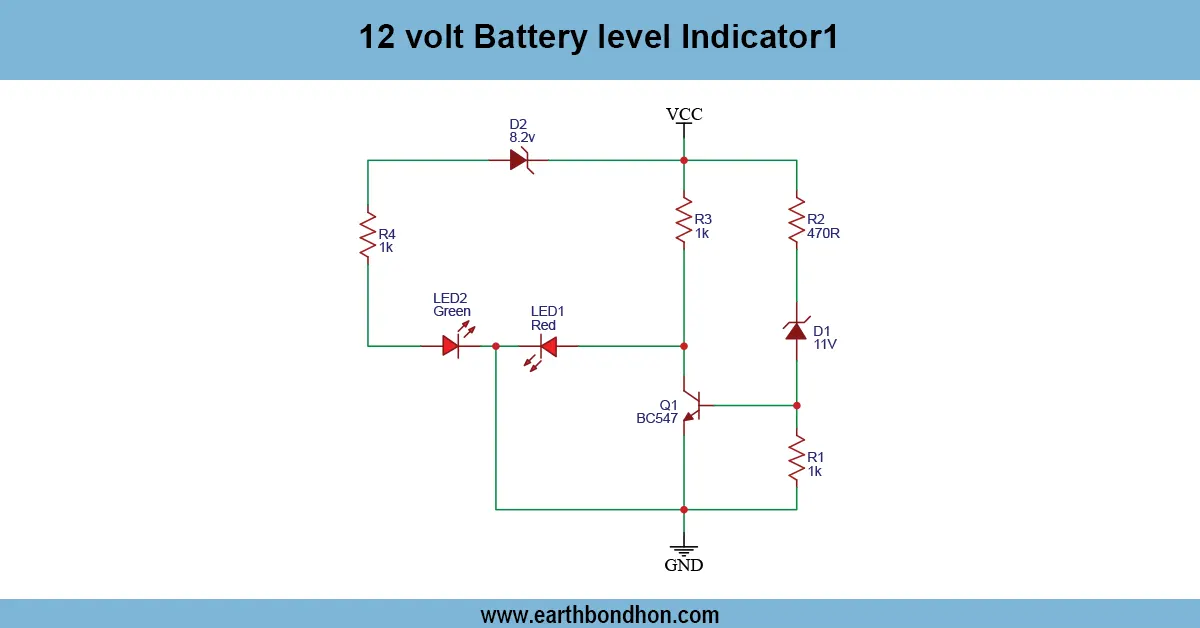
12v battery charge status led

With only a few simple electronic components, a 12V charging indicator circuit visually displays the state of a battery charging, fully charged, or low battery using simple electronic components such as LEDs, resistors, and comparators. This circuit comes in handy particularly in solar systems, battery back-ups, or vehicle batteries. It makes it easy to observe the state of charge without special equipment for its users. The circuit is based on an op-amp comparator or transistor logic, making the circuit easier to use and increasing battery life by changing the color the LED displays based on the voltage level.

simple light detection project

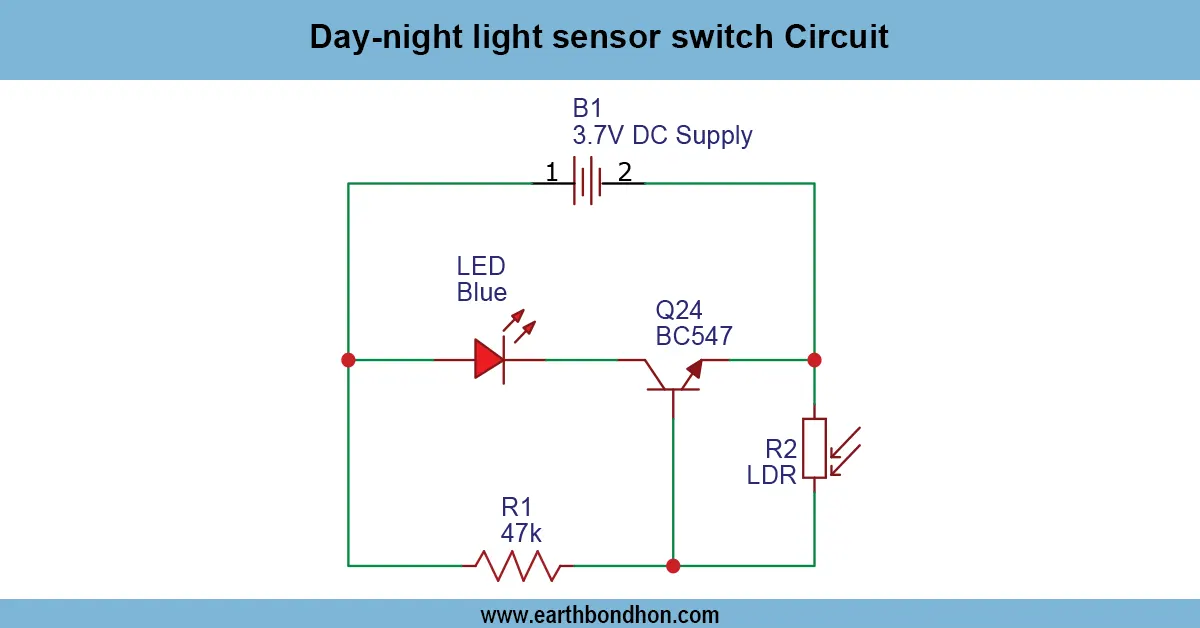
The LDR Tester Using LED is a very basic project that allows one to easily test the amount of light in a setup with a Light Dependent Resistor (LDR) and an LED. The higher the intensity of light, the lower the resistance of LDR. The use of an LED in a series connection between the LDR and a given resistor makes the LED brighter in environments where the resistance is low (bright light) and dimmer when the environment is darker. The circuit is user-friendly, cheap, and most suitable for use by students, hobbyists, and fans of electronic devices who may wish to test the LDRs, measure the ambient light levels, or learn about the light-reactive circuits. The project needs the simplest of components, which include a Lan ED, a resistor, an LDR, and a DC source of power. Basic indication does not need a transistor, but this can be included in the circuit to increase the current that the components can handle or to power higher loads. They can be used to test LDR sensors or make light-sensitive indicators, and to do light experiments on a whim. The LED brightness sensitivity can be controlled by changing the values of the series resistor.

Work / Installation (Inputs → Outputs)

  • Power Input → 3–12V DC supply.
  • LDR Sensor → Changes resistance with light intensity.
  • Series Resistor → Limits LED current.
  • LED Indicator → Brightness changes according to light levels.
  • Installation → Connect LDR and LED in series with resistor; apply DC voltage; observe LED brightness changes when exposed to light or darkness.

Testing & Final Adjustments

Assemble, after which you will need an appropriate source of DC power. Light up the LDR; the LED must be bright when under high light conditions, and dark when it is dark. Regulate the value of the series resistor to regulate the brightness and sensitivity of LEDs. Test with various lighting sources to be sure that it works. Check the polarity of the LED and maintain a stable connection. Repeated tests will confirm the correct level of light indication. The correct installation ensures that the LED visually reflects the level of ambient light adequately, and, therefore, this project can be followed by beginners and hobbyists who want to explore the topic of light-sensitive circuits.

Frequently Asked Questions - 12V Charging Indicator circuit:

What is a 12V charging indicator circuit?

It's a circuit that uses LEDs to show if a 12V battery is charging or full.

Can I use LEDs for battery level?

Yes, different LEDs indicate low, charging, or full battery levels.

Which IC is used in charging indicator?

You can use LM393 comparator or LM324 op-amp.

What voltage is considered full for 12V battery?

12.6V to 13.8V typically indicates a full charge.

How do I detect battery low voltage?

Use a voltage divider and comparator to trigger a red LED below 11.8V.

Is this circuit suitable for solar batteries?

Yes, it works for any 12V lead-acid battery.

Can this prevent overcharging?

No, it only indicates status. Use a charge controller to prevent overcharge.

Can I use a transistor instead of IC?

Yes, basic transistor circuits can detect voltage thresholds.

Does the LED drain battery?

Very little. Use high-efficiency LEDs and resistors to reduce current draw.

Is this safe for vehicle batteries?

Yes, it's commonly used in automotive applications.

Comments

Please login to comment.

Earth Bondhon

Earth Bondhon

Calculator Tools Project

Md. Jony Islam is a highly skilled professional with expertise in electronics, electrical, mechanical, and civil engineering, as well as finance. Specializing intransformer service and maintenance for 33/11kV substations, he ensures reliable and efficient electrical systems. His mechanical engineering skills drive innovative designs, while his financial acumen supports effective project budgeting. With a strong foundation in civil engineering, he contributes to robust infrastructure development. Md. Jony Islam's multidisciplinary approach ensures efficiency, quality, and reliability across all projects.