




Transistor led blinking circuit
Build a transistor-based LED blinking circuit using a few resistors and capacitors to make LEDs blink automatically, ideal for beginners and DIY projects.
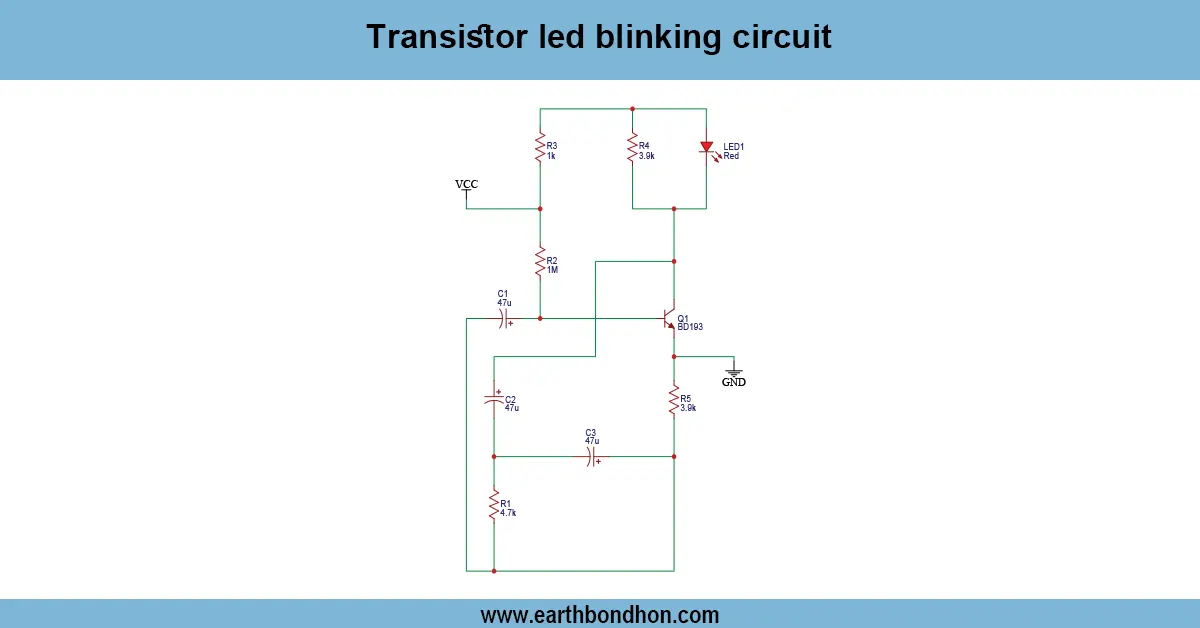
DIY LED blink project:
A basic electronic project involving the use of transistors is a blinking LED circuit, which employs one or several transistors to switch an LED on and off in a sequence to produce a blinking effect. A circuit typically has a resistor-capacitor (RC) network that is charged and discharged to toggle the transistor every now and then. Its wide range of applications is in educational electronics, amateur projects, and hobby applications. It is a simple circuit that can be used to learn the principles of operation of a transistor, timing concepts, and the behaviors of an RC charging circuit. It uses very few parts and gives a visual result, which allows electronics enthusiasts to learn about oscillator circuits and the practical uses of transistors practically and interactively.
Beginner LED circuit:
The transistor LED blinking circuit is a simple and educational electronic project that makes an LED blink automatically with the help of a transistor and a resistor-capacitor (RC) timing network. The circuit operates on the principle of charging a capacitor by use of a resistor, inducing the transistor to switch the LED on. When the capacitor empties, the transistor shuts off, turning the LED off. The process is repeated and gives a blinking effect. It can be best used by amateurs, hobbyists, and lovers of electronics who would like to understand the use of transistors, RC timing, and simple oscillator circuits. It is a low-power, smaller circuit built on 3-12 V DC (and varies by the transistor and LED ratings) that is low-cost. The PICO board can be used in various projects by altering the flash rate through alteration of the resistor or capacitor values. It may also be extended using several transistors to turn on and off a number of LEDs. The project gives a visual illustration of the way electronic components interact, which users can see and understand basic principles of electronics, making it an easy way to illustrate to the users the basic principles of electronics, and also makes it a very pretty display, which will draw the attention of the user.
⚡ Work & Installation (Input → Output):
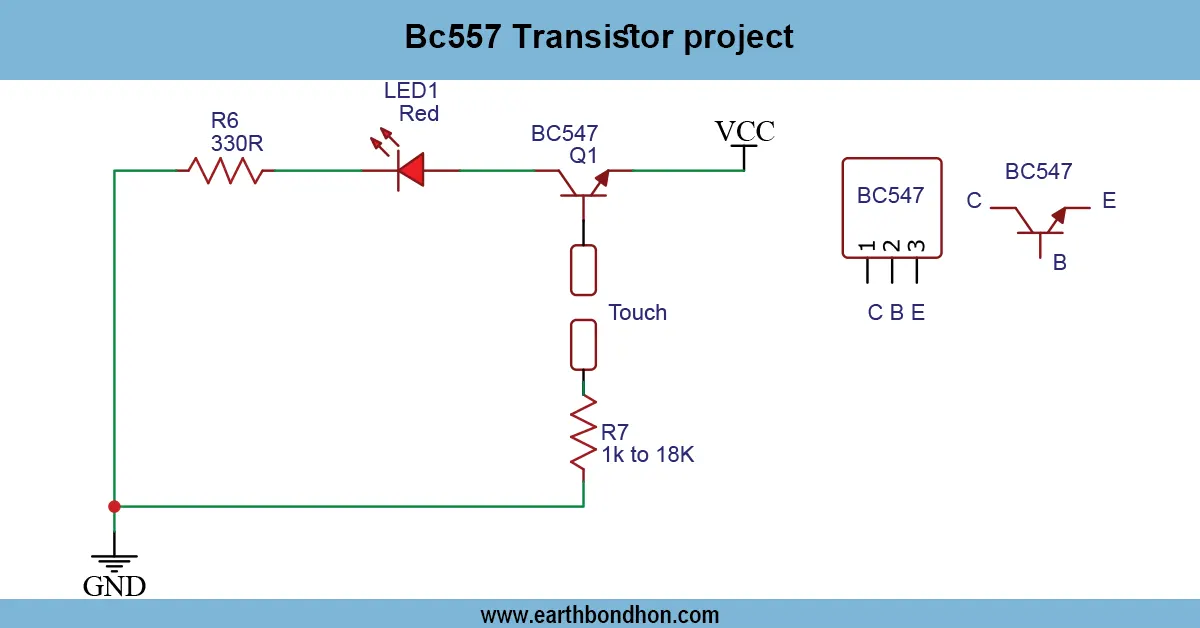
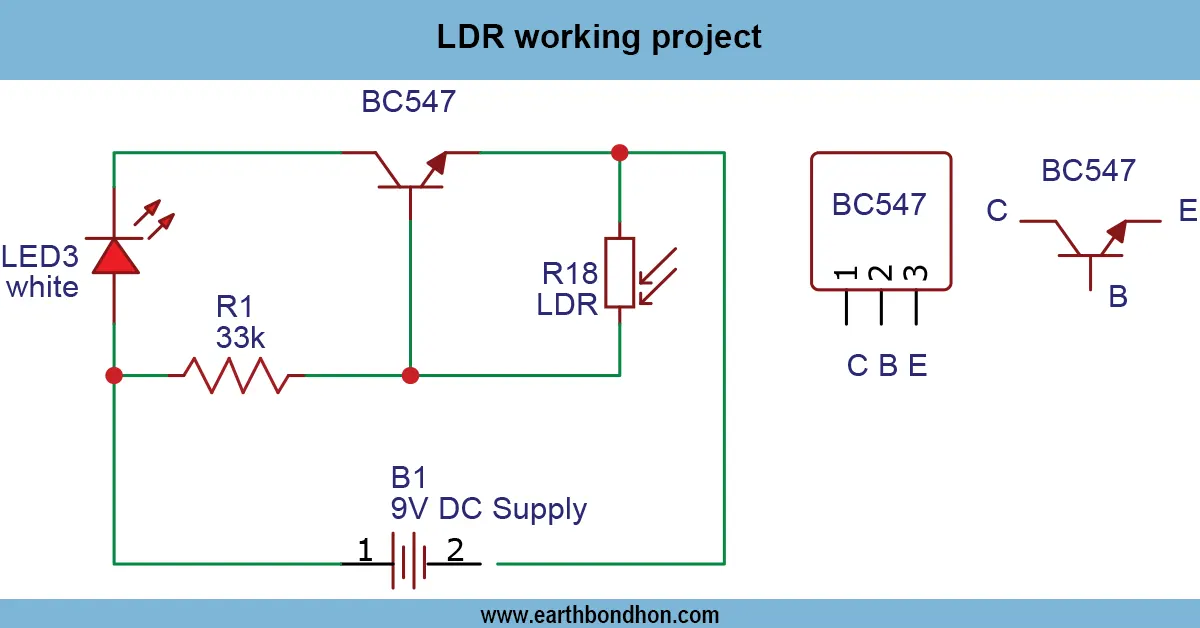
The LED blinking circuit with a transistor operates with a resistor-capacitor (RC) network in regulating the frequency of switching the transistor. When the capacitor is charged via a resistor, it activates the transistor to switch on the LED. As soon as the capacitor is discharged, the transistor is turned off, and the LED is turned off. This charge-discharge process is repeated, resulting in a blinking effect. Installation is done on a breadboard or PC, which connects the transistor, LED, resistors, and capacitor. The timing signal transmitted by the RC network gets to the base of the transistor, and the LED is driven by the collector. The circuit may be powered by a low DC voltage, typically 312V, depending on the transistor and LED characteristics. The blink rate can be changed by changing the values of the resistor or capacitor. It is a simple circuit that can be used by beginners and hobbyists to teach them the basics of transistor behavior, timing, and visual indicators in the form of blinking LEDs.
Testing & Final Adjustments:
Otransistor LED blinking circuit circuit is complete, a DC power supply with an appropriate voltage (usually 512 V, depending on the LED and transistor voltage ratings) should be connected. Check the LED blinking; if it is not blinking, change the transistor orientation, LED polarity, and connections. Change the blinking by changing the value of the resistor or capacitors. Make sure that the resistor does not allow excessive current to pass through in order to prevent the destruction of the LED and the transistor. In multi-LED blinking circuits, there are effects of alternative blinks where each stage is driven by a separate transistor, and the LED is driven by it. The initial testing should be at a low supply voltage to avoid damage to the components. After verification, the circuit can be continuously operated, which proves the principles of the RC timing of circuits and switching of transistors. It is a low-power, cheap, and easily reusable project and is ideal for learning, experimentation, and small hobby projects. A correctly assembled, tested version can be guaranteed to work and to provide a reliable, visually attractive pattern of LED blink, which allows a beginner to grasp some fundamental ideas of electronics and the action of transistors in a real-world oscillator circuit.