Creators
Md Jony Islam Author
Md Jony Islam
CalculatorToolsProjectExpert
Reviewers
Małgorzata Koperska, MD Steven Wooding
Last updated: January 14, 2026

Smart 18650 Li-ion Battery Charger Circuit Using BC547

🇺🇸
English
Default
🇪🇸
Español
Spanish
🇫🇷
Français
French
🇩🇪
Deutsch
German
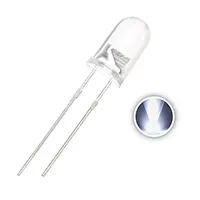
3V LED 5mm

3V LED 5mm

3V, 5mm round light-emitting diode

1N4007 Diode

1N4007 Diode

General-purpose 1000V, 1A diode

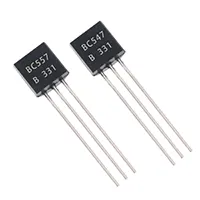
BC547 Transistor

BC547 Transistor

General-purpose NPN bipolar junction transistor (BJT)

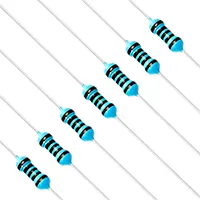
1K Fixed Resistor 1/4W

1K Fixed Resistor 1/4W

A 1,000-ohm resistor rated for 0.25 watts

220-ohm Fixed Resistor 1/4W

220R Fixed Resistor 1/4W

A 220-ohm resistor rated for 0.25 watts

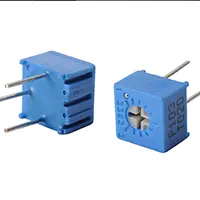
10K Fixed Resistor

10K Variable Resistor

Adjustable resistor with 10,000 ohm resistance

*Please note: These are affiliate links. I may make a commission if you buy the components through these links. I would appreciate your support in this way!

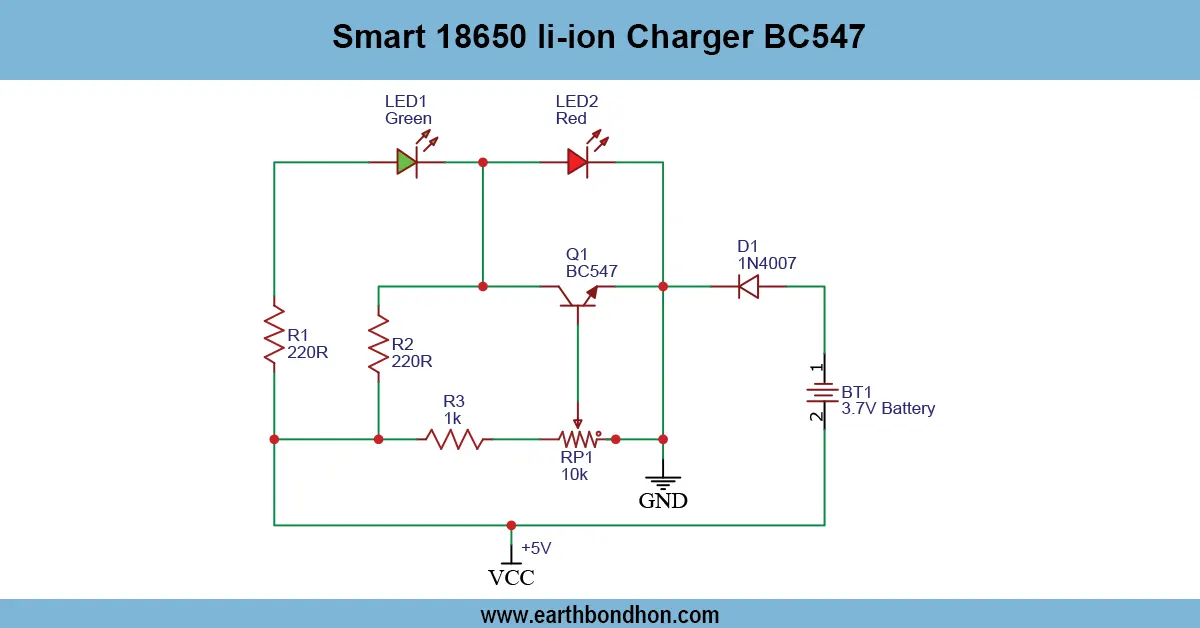
Smart 18650 li-ion Charger BC547

Build a smart 18650 Li-ion battery charger using BC547 transistor. Features automatic cut-off, LED indication, and safe low-voltage charging for DIY electronics...

DIY battery charger circuit:

An intelligent 18650 Li-ion charger was made based on BC547 to automatically turn off charging when the battery is full. The transistor BC547 allows cut-off, and an LED shows the charging position so that it can be used safely and efficiently.

how to test an led strip with a multimeter​

A burned-out LED bulb is an annoyance, and it’s not all that rare: drivers can fail, the LEDs themselves can overheat, or they can simply get worn out from being overvoltaged. Repairing a Burned-Out LED Light Bulb Circuit is an Easy DIY Electronics Project That Saves You Money and Teaches You How to Troubleshoot. Cloudflare. The typical LED bulb is quite interesting, being usually a series-parallel array of LEDs with a driver circuit converting AC to regulated DC. When a light goes out, it’s often an issue in the form of a fried LED, busted resistor (or capacitor or driver IC). In this guide, you will know how to take apart the bulb, diagnose what went wrong with it, and replace the parts that are broken, trying to keep safe when assembling the LED light. Back together back By following this guide step-by-step, you will bring your bulb back to life and extend the life of your gadget without any prior technical skills needed!

Why LED Bulbs Burn Out

Overvoltage or Surges

  • AC voltage spikes can damage LEDs or driver components.

Failed Driver Circuit Components

  • Resistors, capacitors, and LED driver ICs may fail over time.

Overheating and Poor Heat Dissipation

  • Excessive heat reduces component life.
  • Ensure heatsinks and thermal paste are intact.

Components Required for Repair

Soldering Iron and Multimeter

  • Essential tools for component replacement and testing.

Replacement LEDs

  • Match forward voltage and current rating with original LEDs.

Resistors, Capacitors, Diodes

  • Replace any burnt or damaged passive components in the driver circuit.

LED Driver IC (if needed)

  • Some bulbs use integrated LED drivers; replace if output fails.

Understanding LED Bulb Circuit

Series or Parallel LED Arrangement

  • LEDs arranged in series share the same current.
  • LEDs in parallel require balancing resistors.

Driver Circuit Overview

  • Converts AC to low-voltage DC.
  • Provides current regulation for LEDs.

Current Limiting Mechanism

  • Protects LEDs from overcurrent and thermal damage.

Troubleshooting Steps

Inspecting Burnt Components

  • Visually check for blackened resistors, capacitors, or LEDs.

Checking LED Forward Voltage

  • Use multimeter diode mode to measure each LED.

Measuring Driver IC Output

  • Verify DC output voltage matches LED array requirements.

Testing Resistors and Capacitors

  • Measure resistance and capacitance to ensure they are within tolerance.

Fixing the Circuit

Replacing Burnt LEDs

  • Desolder damaged LED.
  • Replace with same voltage and current rating.

Replacing Driver Components

  • Replace failed resistor, capacitor, diode, or IC.
  • Ensure correct polarity for LEDs and capacitors.

Reassembling the Bulb

  • Secure PCB, LED cover, and heatsink.
  • Avoid touching components with bare hands.

Testing Restored LED Bulb

  • Connect to AC supply via fuse for safety.
  • Verify bulb lights up and all LEDs function.

Safety Precautions

  • Disconnect AC power before disassembly.
  • Use insulated tools.
  • Check for charged capacitors.
  • Avoid touching live AC components.
  • Test bulb initially through a current-limited supply.

Maintenance Tips for Longer LED Life

  • Avoid voltage surges using surge protectors.
  • Ensure proper ventilation to reduce heat.
  • Clean dust from LED heatsinks.
  • Use quality driver ICs and components.
  • Avoid frequent power cycling.

Frequently Asked Questions - Smart 18650 li-ion Charger BC547:

What is BC547?

A general-purpose NPN transistor used for switching in the charger circuit.

Voltage requirement?

5–12V DC regulated supply.

Battery type?

18650 Li-ion cells.

Is it safe?

Yes, features automatic cut-off and low-voltage operation.

LED purpose?

Indicates charging progress and full charge status.

Beginner-friendly?

Yes, simple assembly on breadboard or PCB.

Can it overcharge battery?

No, BC547 ensures automatic cut-off.

Adjustable current?

Yes, by changing resistor values according to battery specs.

Applications?

DIY electronics, hobby projects, small Li-ion battery charging.

PCB needed?

Optional, breadboard works for prototype and learning purposes.

Comments

Please login to comment.

Md Jony Islam

Md Jony Islam

Calculator Tools Project

Founder of Earthbondhon.com

a free online tools website designed to make everyday and engineering-related calculations easier for students, professionals, and hobbyists. The site offers a wide range of basic calculators across key categories, including Electrical Calculators, Electronic Calculators, and Time & Date Calculators.