Creators
Rojony Khatun Author
Rojony Khatun
CalculatorToolsProjectExpert
Reviewers
Małgorzata Koperska, MD Steven Wooding
Last updated: January 14, 2026

SCR Battery Charger Circuit Using BT151 Thyristor

🇺🇸
English
Default
🇪🇸
Español
Spanish
🇫🇷
Français
French
🇩🇪
Deutsch
German
PCB Fuse

PCB Fuse

A board-mounted safety device that automatically breaks the circuit when excessive current flows, protecting electronic components from damage.

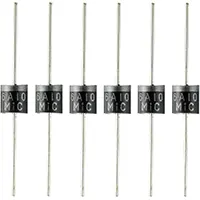
6A10 Diode

6A10 Diode

High-current rectifier diode (6A, 1000V)

BT150 SCR

BT150 SCR

Medium-power silicon controlled rectifier with voltage rating ~600–800V and current handling around 12A

1N4007 Diode

1N4007 Diode

General-purpose 1000V, 1A diode

1.5K Fixed Resistor 1/4W

1.5K Fixed Resistor 1/4W

A 1,500-ohm resistor rated for 0.25 watts

15V Zener Diode

15V Zener Diode

Voltage-regulating diode, 15V clamp

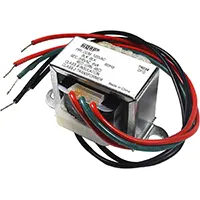
12V Transformer

12V Transformer

Step-down transformer converting 220V AC to 12V AC

*Please note: These are affiliate links. I may make a commission if you buy the components through these links. I would appreciate your support in this way!

SCR Battery Charger

Build an SCR battery charger using BT151 thyristor for controlled DC charging. Suitable for 12V/24V batteries in DIY electronics and hobby projects.
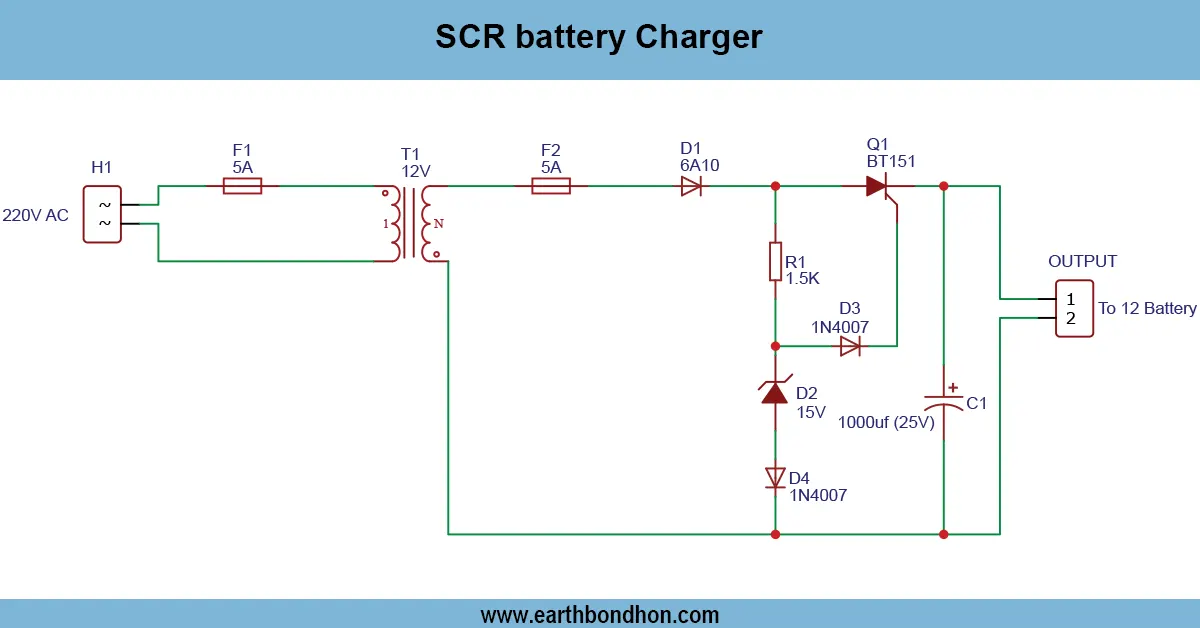
SCR battery charger BT151

A battery charger is a type of SCR-based battery charger that regulates charging current to DC batteries by using BT151. Current is switched in a controlled way by the BT151 thyristor, with adjustable and efficient charging possible.

electronic projects for beginners​

The blinking LED Chakri board circuit is an entertaining and attractive DIY circuit. A 555 timer IC and a CD4017 decade counter IC can be used to form mesmerising patterns of LEDs that rotate or blink sequentially like a traditional chakri. This project would be ideal for studying how to use digital counters, timing circuits and LED control when making decorative displays during festivals, events or self-projects. The blink rate can be kept slow or fast, and custom effects of your own may be made by just changing the timing capacitor in the 555 timer circuit. Here, you will know how to connect the circuit, how to connect the LEDs into a chakri form, and how to operate safely to make the display of the LEDs long-lasting and appealing.

Why Build a Blinking LED Chakri Board?

Decorative and Educational Project

  • Can be used for festivals, decorations, and display boards.
  • Provides hands-on learning experience with ICs and LEDs.

Learning Electronics Concepts

  • Understand timing circuits, digital counters, and LED driving.
  • Learn resistor and capacitor selection for desired blink patterns.

Components Required

LEDs

  • Different colors for visual appeal.
  • Ensure uniform brightness using proper resistors.

Resistors

  • Current limiting resistors for each LED.

555 Timer IC

  • Acts as astable multivibrator to generate clock pulses.

CD4017 Decade Counter IC

  • Provides 10 output pins to sequence LEDs in order.

Capacitors

  • Used for timing adjustment in 555 timer.

Power Supply (DC 5V–12V)

  • Provides stable voltage to ICs and LEDs.

Working Principle

555 Timer as Clock Pulse Generator

  • Generates square wave pulses based on resistor–capacitor timing.
  • Each pulse triggers CD4017 to advance output by one step.

CD4017 Decade Counter for LED Sequencing

  • Each output drives one LED in the chakri.
  • Sequence repeats after 10 pulses, creating rotating effect.

LED Blinking Pattern Creation

  • Connect LEDs in circular/spiral chakri pattern.
  • Adjust blink speed by changing 555 timer capacitor.

Circuit Diagram and Assembly Steps

Connecting 555 Timer for Pulse

  • Pin 1 → GND, Pin 8 → Vcc
  • Pin 2 & 6 → connected with timing network
  • Pin 3 → Output to CD4017 clock pin

Wiring CD4017 IC

  • Pin 16 → Vcc, Pin 8 → GND
  • Pin 14 → Clock input from 555
  • Pin 3–11 → LED outputs
  • Pin 13 → Enable, Pin 15 → Reset (configured as required)

Connecting LEDs in Chakri Pattern

  • Anodes → CD4017 output pins
  • Cathodes → Resistors → GND
  • Arrange LEDs in circular or spiral pattern

Resistor Selection for LEDs

  • Choose resistor using formula: R = (Vcc – Vled) / Iled

Testing and Adjusting Blink Speed

  • Power the circuit.
  • Adjust RC values for faster/slower rotation.
  • Ensure LEDs light sequentially and smoothly.

Applications

  • Decorative festival lighting.
  • Learning and experimentation in electronics.
  • DIY display boards.
  • LED-based toys or hobby kits.

Safety Precautions

  • Use low-voltage DC supply for safety.
  • Avoid short-circuiting IC pins.
  • Ensure correct polarity for LEDs.
  • Work on insulated surface to prevent accidental shocks.

Troubleshooting and Maintenance

  • LEDs not blinking: Check IC connections and power supply.
  • One LED stuck on: Verify CD4017 wiring & reset pin.
  • Flickering LEDs: Adjust 555 timer capacitor/resistor.
  • Overheating ICs: Lower supply voltage or LED current.
  • No rotation effect: Ensure proper 555 clock pulses.

Frequently Asked Questions - SCR Battery Charger:

What is BT151?

BT151 is an SCR (thyristor) used to switch and control DC current.

Voltage supported?

Suitable for 12V or 24V batteries.

Can current be adjusted?

Yes, using a potentiometer in series with the SCR.

Is it safe for batteries?

Yes, ensures controlled charging with proper current limiting.

Applications?

DIY battery charging, hobby electronics, small solar systems.

Do I need a rectifier?

Yes, to convert AC to DC for charging.

Is it beginner-friendly?

Yes, with careful component placement and assembly.

Can it charge multiple batteries?

Yes, within voltage and current limits of the circuit.

Fuse needed?

Recommended for protection against short circuits or overcurrent.

Heat dissipation needed?

Yes, the SCR should have a heatsink for safe operation.

Comments

Please login to comment.

Rojony Khatun

Rojony Khatun

Calculator Tools Project

Rojony Khatun is the creator of a free online tools website designed to simplify everyday and engineering-related calculations for students, professionals, and hobbyists. The platform offers a wide variety of basic and advanced calculators across key categories, including Electrical Calculators, Electronic Calculators, and Time & Date Calculators, helping users solve problems quickly and accurately.